
In the field of bus testing and simulation, efficiency and flexibility have always been the core pursuits for engineers. In April, TSMaster once again delivered an important iteration: this update brings users audio and video recording, a brand new Web Toolbox component, automated build script generation for mini-programs, a SOME/IP static array matching mode, and more, all aimed at further improving the software’s performance, flexibility, and user experience.
TSMaster 2026.04
Analysis Module
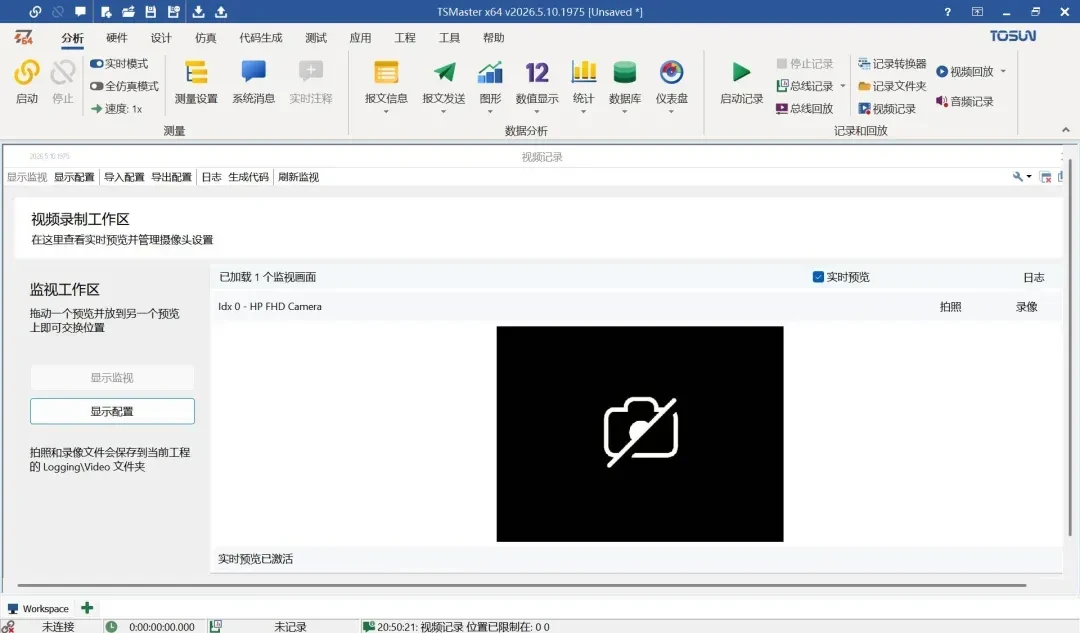
Multimodal Test Data Synchronized Capture Solution: Video Recording and Audio Recording
→ Analysis › Message Sending
New feature: Automatically detects system cameras and supports multiple camera connections. Supports custom video parameters, letting you adjust resolution, frame rate, and encoding format based on the test scenario (such as low-speed debugging or high-speed capture). Enables multimodal correlation, strictly synchronized with TSMaster’s bus recording and simulation runtime timeline, for event-level correlated analysis of “bus data plus video footage.” A corresponding API is now available, enabling smart storage, a lightweight recording mode, flexible configuration of camera working states, and real-time preview with instant still-frame capture control. The default video storage path is .LoggingVideo.
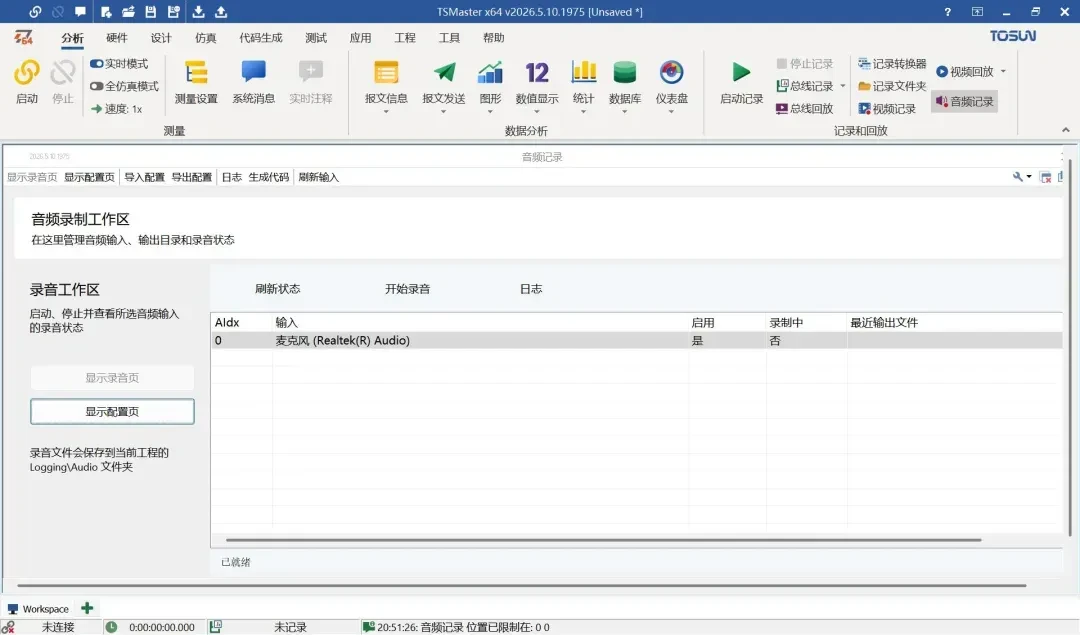
→ Analysis › Audio Recording
Update: Audio recording enables a comprehensive audio-video synchronized test data capture solution. System audio input devices are automatically scanned and extensible, and audio parameters can be customized to fit a variety of test scenarios such as voice interaction and abnormal noise capture. It offers multimodal timeline synchronization, API-level device hot management, a global forced-shutdown safety mechanism, indexed device addressing, and a reusable audio_save_configuration() setup that can be applied multiple times. The default audio storage path is .LoggingAudio.
Application Module
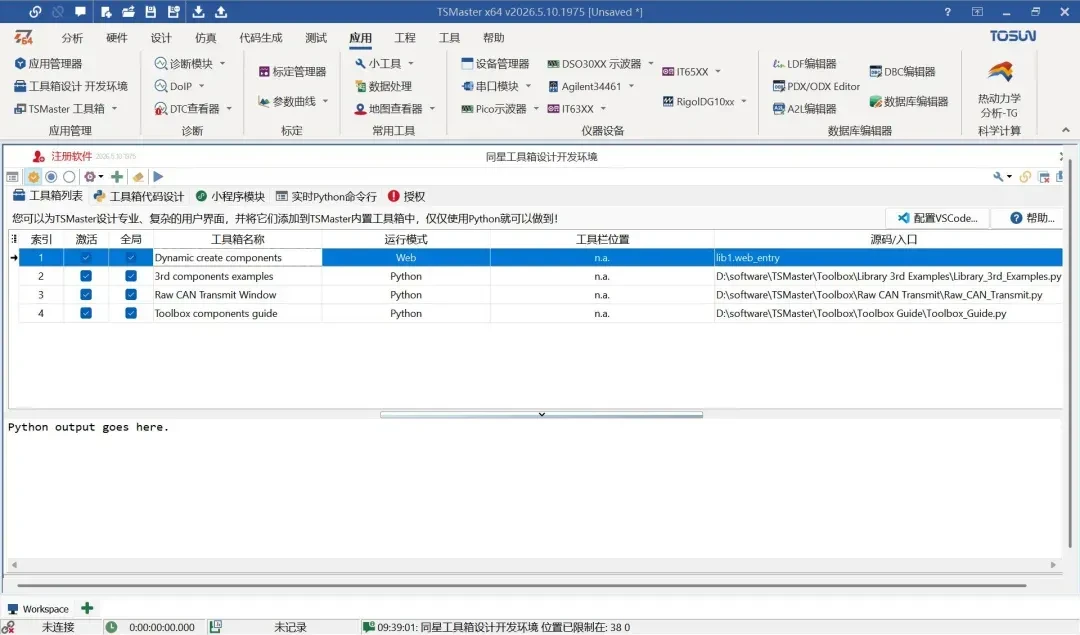
New Web Toolbox for C Mini-Programs
→ Application › Toolbox Design Development Environment
Update: A new Web Toolbox for C mini-programs has been added, empowering users to develop custom tool modules with a web-based interactive interface using native C code, running directly embedded in the TSMaster main interface and sharing the project context and communication resources. It supports specifying the source code path and entry point (such as lib:t_web_entry), offering strong openness for modular reuse and third-party extension. Multiple independent Web Toolboxes can be created and switched between with one click within the TSMaster environment, meeting the needs of a variety of test scenarios.
Simulation Module
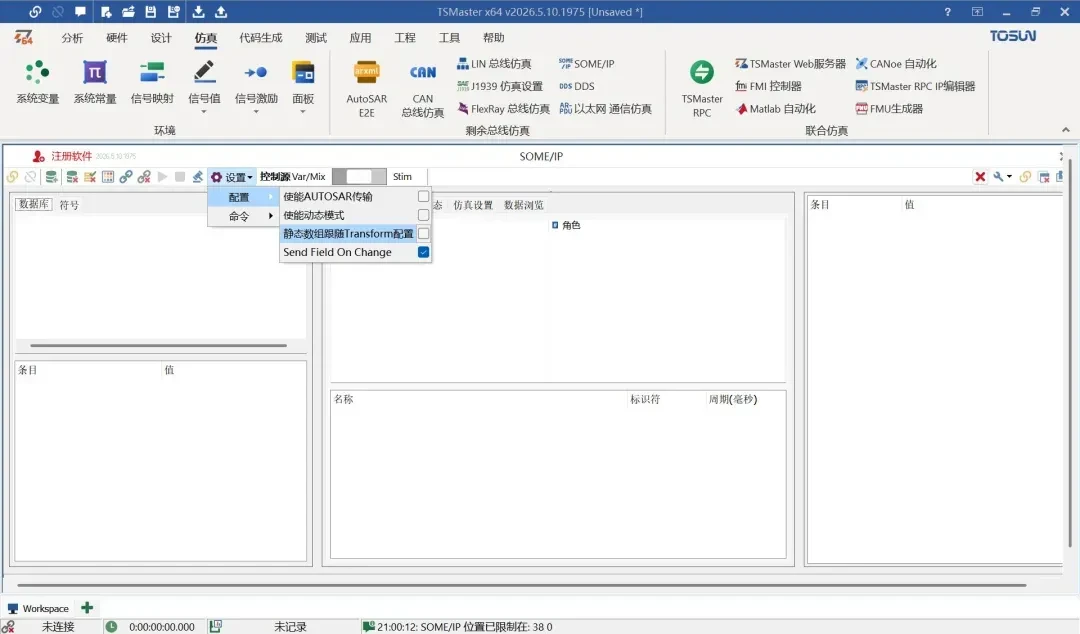
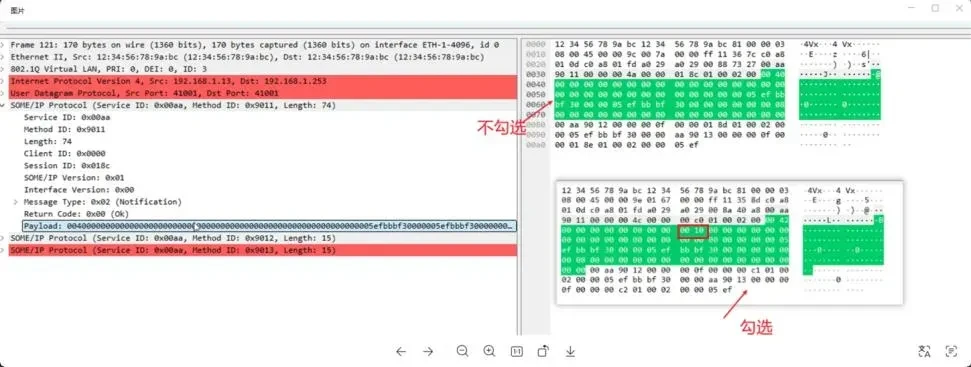
New SOME/IP Configuration: Static Array Follows Transform Setting
→ Simulation › SOME/IP
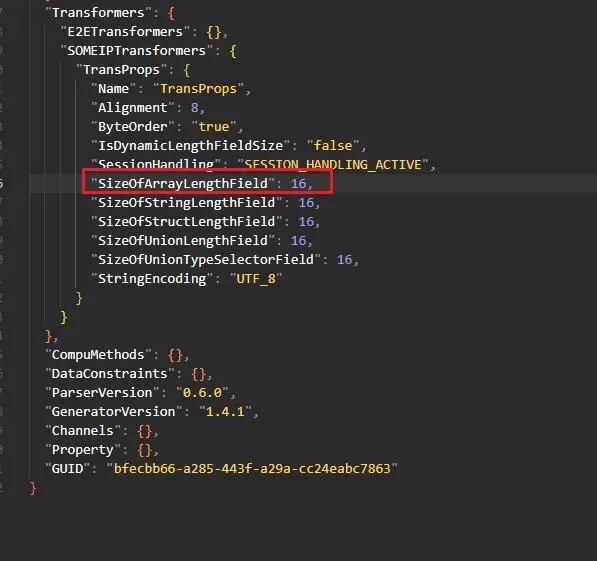
Update: When unchecked, the static array length field is 0 bytes. When checked, this field follows the Transform configuration. Note: in the example checked state, the SOME/IP subscription for the corresponding static array variable shows 2 additional bytes of data compared to the unchecked state. This comes from the 16-bit “SizeOfArrayLengthField,” which is 2 bytes in length.
Design Module
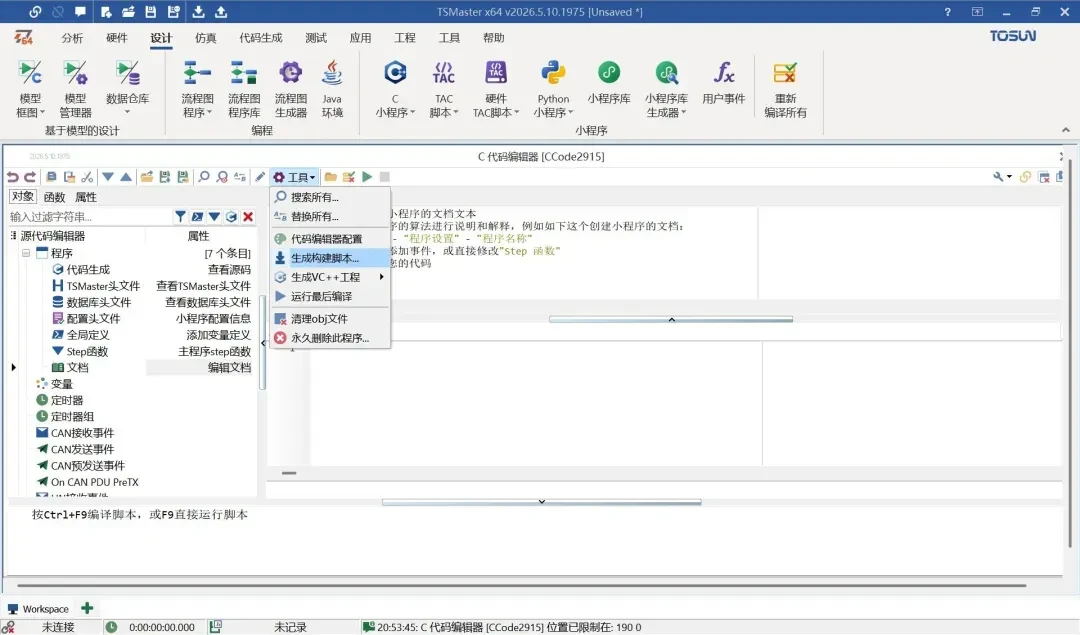
Mini-Program Build: Automated Script Generation
→ Design › C Mini-Program
Update: This feature generates a complete set of compilable build scripts and supporting files for the current C mini-program project, allowing it to be independently compiled into an executable program or mini-program module using an external compiler. The corresponding scripts and source files are located in the MiniProgramBuild project directory. This empowers test algorithm development, communication logic customization, and HIL (hardware-in-the-loop) simulation scenarios that require rapid iteration and multi-platform adaptation.
Welcome to Download and Try the Latest TSMaster
Download and experience the latest version of TSMaster today.
